How to Get New Garage Door Remote – Lost access and worried about safety? We ask this because quick action can protect your house and family. Many homeowners delay, then face avoidable risks with security and daily access
We are Garage Home Pros, a family-run team serving Polk, Osceola, Lake, Orange, and Seminole counties. Since 2014 we offer fast, friendly service and same-day assistance when you need hands-on help.
If a remote goes missing, the first step is securing the opener by clearing paired devices and reprogramming only trusted transmitters. We walk you through that process and safe temporary options, like manual operation, until a replacement arrives.
Call (321) 200-0727 or email garagehomepros@gmail.com for prompt support. Our hours are Monday–Saturday, 8:00 a.m.–9:00 p.m. We handle questions, model ID, and full programming when you prefer a pro.
Key Takeaways
- Act fast to clear paired transmitters and protect your home.
- We teach simple steps to reset the opener and reprogram authorized devices.
- Universal and OEM options fit most openers from the last 20 years.
- Manual operation is a safe temporary choice; call us if the door is unbalanced.
- Garage Home Pros offers friendly, same-day assistance and clear answers to your questions.
Lost or stolen remote? Secure your garage first
A missing transmitter can leave your entry point vulnerable—act quickly to secure the system. We prioritize your safety and can guide you by phone or dispatch a technician the same day. Call (321) 200-0727 for emergency opener repairs during service hours.
Clear opener memory and reset codes
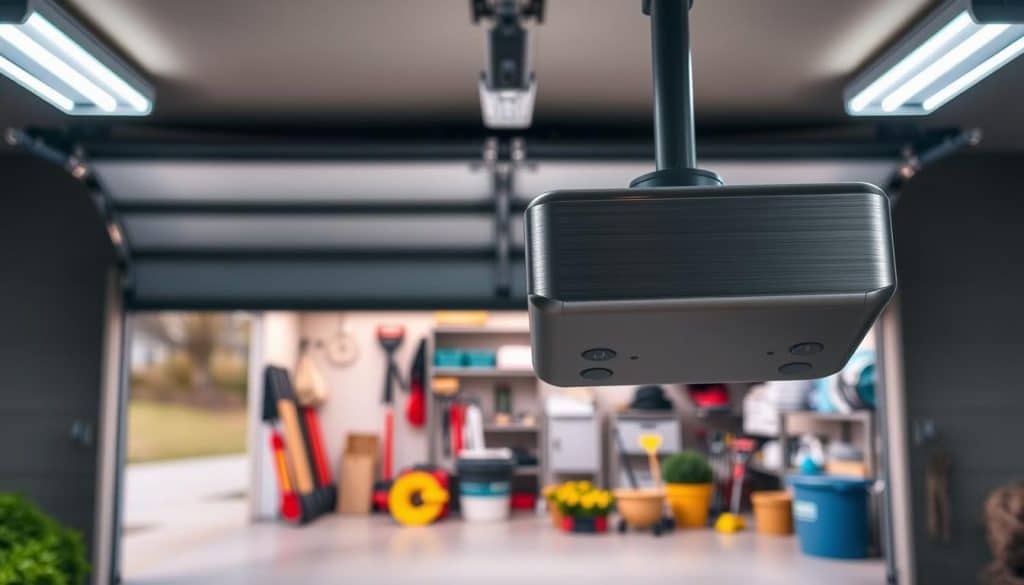
Find the “Learn” button on the motor unit. Press and hold about 6–10 seconds until the indicator light turns off. That wipes paired devices from the unit’s memory.
Reprogram only transmitters you own. Reset any keypad code and pick a unique code that is not used elsewhere in the house.
When to contact authorities and why speed matters
- Clear the opener memory immediately to prevent unauthorized access to your house.
- If you suspect theft, contact local authorities and document the event while we secure the unit.
- Inspect side entries and internal access, and verify the door fully closes and locks.
- We can walk you through each step by phone or arrive same day for on-site service.
How to get new garage door remote
Start by checking the label on the motor unit for brand and model. That info guides compatibility and saves guesswork when selecting a replacement.
Find brand, model, and the Learn button
Look at the sticker on the motor housing. Note the manufacturer, model number, and any listed compatible openers. Next, locate the Learn button. It usually sits on the back or side of the motor unit and may have a color or symbol that tells us the generation of the opener.
Choose OEM, universal, or smart control
OEM parts match exactly for a plug-and-play experience. Universal options support many models made in the last 20 years and offer flexibility at lower cost. Smart-app hubs add remote access from a phone, but we will confirm compatibility first.
- Photograph the label and send it; we’ll confirm the right match.
- One matched unit usually restores everyday convenience quickly.
- Call (321) 200-0727 or email garagehomepros@gmail.com with any questions.
Choosing the right replacement: universal vs. manufacturer vs. smart
We weigh reliability, cost, and app control when suggesting a replacement for your system. That helps homeowners pick what fits daily life and budget.
Universal units often support openers made in the last 20 years. Check the compatibility chart on the packaging and confirm the listed model matches the label on your unit.
Manufacturer (OEM) options give a factory-fit match and steady performance. They are ideal when you want plug-and-play simplicity and guaranteed frequency and encryption support.
- Read model lists and instructions carefully; look for Learn button references and frequency specs.
- Smart add-ons connect the system to an app for alerts and guest access without sharing a physical door remote.
- We can pick up, program, and verify operation on-site so the selected unit works the first visit.
Step-by-step: program your new garage door opener remote
A reliable pairing routine helps restore access quickly and keeps the system secure. We guide each step so your opener unit accepts only trusted transmitters and the system works consistently.
- Install the correct battery. Remove any pull tab and power the button so the transmitter sends a full-strength signal.
- Put the motor unit into pairing mode. Press the Learn button on the opener; an indicator will blink or you’ll hear a tone.
- Press the chosen button. Within about 30 seconds, press and hold the target button on the transmitter until the unit confirms with a flash or beep.
- Test and retry if needed. Operate the door several times from different spots. If it fails, repeat the sequence or clear codes and start over.
- Power the transmitter with the specified battery for reliable range.
- Label each programmed button so family members know which opener controls each door.
- If older devices act erratically, clear the unit’s memory and re-add only trusted transmitters.
- Prefer we handle it? We stock common batteries and transmitters and can program everything during a quick service visit. We also offer emergency opener repairs during business hours with no after-hours fees.
Temporary access while waiting for a replacement
When you need temporary access, simple manual steps can keep your home secure while a replacement arrives. We’ll walk you through safe manual operation by phone or come out and provide assistance.
Safe manual operation and re-engaging the trolley
With the panel closed, pull the emergency release cord straight down to disconnect the trolley from the opener carriage. Lift the door smoothly with two hands to enter or exit.
- Keep the panel closed before pulling the release so the section won’t drop and damage your home.
- If the door binds, feels uneven, or slams, stop immediately—springs or cables may be damaged.
- After use, re-engage the trolley by pulling the release toward the motor unit and press the wall button to reconnect the carriage.
- Do not leave the panel partly open; always close it fully to maintain security while you wait for a replacement remote or keypad.
- Avoid repeated operation of a damaged system; this can stress the motor and unit and make repairs costlier.
- We can supply a temporary keypad or program a spare so you have reliable access until the replacement arrives.
If anything feels heavy or unbalanced, do not force movement—call (321) 200-0727 for professional help. Your safety is our priority, and our local team can assist quickly.
Extra security after a lost remote
A lost transmitter is a prompt to update codes and add backup entry options. We act fast to close gaps and restore reliable access for your house.
Change keypad PINs and reprogram trusted transmitters only. After you clear the opener memory, pick a fresh, unique code. Re-add only transmitters you keep inside the house.
Change access codes and consider a keypad
Install a weatherproof keypad as a backup entry point. A keypad prevents lockouts while you wait for a replacement remote or service visit.
Upgrade options for monitoring and alerts
Consider a smart controller that sends activity alerts and logs open/close history. App access lets you grant temporary guest codes and disable them later.
- Set a separate guest PIN and disable it when done.
- Pair a spare remote during keypad installation so everyone has consistent access.
- Use scheduled lockouts and app permissions for tighter control.
Ask about package options that bundle a keypad, extra remotes, and app setup. We’ll tailor the solution to your security goals and budget so the system protects your family with confidence.
Need local help today? Garage Home Pros can assist
When system trouble interrupts your routine, count on our local technicians for prompt support. We serve Davenport and nearby towns across Polk, Osceola, Lake, Orange, and Seminole counties with quick, clear service.
Family-owned since 2014 with fast response and no after-hours fees
We are local, trusted, and reliable. Our team works Monday–Saturday, 8:00 a.m.–9:00 p.m., and we do not charge after-hours fees during posted hours.
Services we provide
We handle opener repair and replacement, broken springs and cables, doors off track, and full installations.
- Openers repair & replacement and testing on-site.
- Broken springs replacement and cable repair.
- Emergency repairs, residential services, and new installations.
What we do for a missing or faulty unit
We source OEM or universal parts, verify compatibility by your opener label, clear old pairings with the Learn function, and program and test operation.
Need smart features? We install controllers, set up the app, and show you how to manage alerts and guest access.
Contact and service area
We serve a 20-mile radius around Davenport, FL across Polk, Osceola, Lake, Orange, and Seminole counties. Hours are Monday–Saturday, 8:00 a.m.–9:00 p.m., closed Sundays.
Call (321) 200-0727 or email garagehomepros@gmail.com for same-day windows and quick scheduling. Whether you need one replacement or a full upgrade, we make the process simple, secure, and convenient.
Conclusion
A short checklist—secure, replace, program—brings reliable access back fast.
Clear old pairings via the Learn button first. Then pick a compatible option (OEM, universal, or smart) and follow the motor unit pairing sequence. Test the garage door opener until it works smoothly from your preferred spot.
Add a keypad or app controller for layered security and activity alerts. Keep codes unique and re-add only trusted transmitters.
When you’re ready, we can secure your system, supply and program replacements, and suggest upgrades that fit your goals. For fast, friendly help, call (321) 200-0727 or email garagehomepros@gmail.com.